Yes, you can connect either configuration of Push to your computer to control Live. Learn about Control Mode in the Push Manual.
Tech specs.
Push is designed to suit different creative setups, with multiple configurations and ways to connect other gear.
Push 3 (standalone)
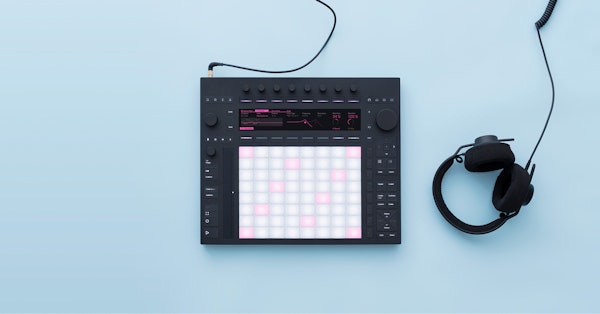
Use Push as a standalone instrument or connect it to your computer.
Push 3 (tethered)
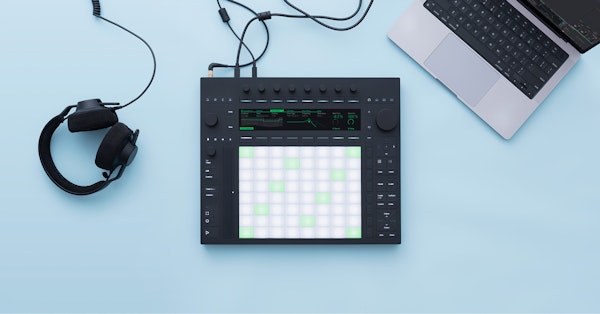
Connect Push to your computer.
Connectivity
Audio interface
- 2 inputs (line or instrument), 2 balanced outputs, headphone
- Record instruments, synths or effects directly into Push in Standalone Mode
- Record into Ableton Live when using Control Mode
- Supports class-compliant audio interfaces
- Same I/O: 2 inputs (line or instrument), 2 balanced outputs, headphone
- Record instruments, synths or effects directly into Ableton Live running on your computer
MIDI and USB
- Supports class-compliant USB MIDI interfaces
- Connect a MIDI keyboard or controller to play Push’s internal instruments
- Send MIDI out to hardware for a laptop-free setup
- Supports class-compliant USB MIDI interfaces
- Connect a MIDI keyboard or controller to play instruments in Ableton Live
- Send MIDI out to hardware from your Live Set
ADAT and CV
- Connect an ADAT extender to add eight more inputs and outputs
- Pedal jacks can output CV, Trigger, Clock and Gate, as well as sending trigger and sustain messages to pedals
- Connect an ADAT extender to add eight more inputs and outputs
- Pedal jacks can output CV, Trigger, Clock and Gate, as well as sending trigger and sustain messages to pedals
Ableton Live integration
Integration with Live
- Access the instruments, devices and effects included in your Live edition
Compare Live editions › - Use Live’s instruments and effects directly on Push in Standalone Mode (minimum Live Intro)
- In Control Mode, Push gives you detailed control over Live on your computer
- Access the instruments, devices and effects included in your Live edition
Compare Live editions › - Must be connected to a computer running Live (minimum Live Intro)
- Push gives you detailed control over Live on your computer
Compatible Live versions
- Works best with the latest version of Live
- Authorize Live on Push to use Live’s instruments and effects in Standalone Mode
- Works best with the latest version of Live
Hardware
Pads
- 64 MPE-enabled pads, each with an XY sensor for detecting finger movement
- RGB backlighting
- 64 MPE-enabled pads, each with an XY sensor for detecting finger movement
- RGB backlighting
Processor
- Built-in Intel® 11th Gen Core™ i3-1115G4 processor with 8 GB RAM
- The Intel® NUC Compute Element powers complex Live Sets in Standalone Mode
- No built-in processor; requires connection to a computer via USB 2.0
- A processor can be added later with the
Upgrade Kit
Battery life
- No built-in battery; requires connection to a computer via USB 2.0
- A battery can be added later with the
Upgrade Kit
Hard drive
- Built-in 256 GB SSD
- No built-in drive; requires connection to a computer via USB 2.0
- A hard drive can be added later with the
Upgrade Kit
WiFi
- Supports WiFi for cable-free Live Set transfer, Pack downloads, firmware updates, and hardware sync via Ableton Link
- No WiFi support; requires connection to a computer via USB 2.0
- A WiFi module can be added later with the
Upgrade Kit
Size and weight
Size
- Width: 380 mm / 14.96 in
- Depth: 318 mm / 12.52 in
- Height (body): 29 mm / 1.14 in
- Height (body + encoders): 44.5 mm / 1.75 in
- Width: 380 mm / 14.96 in
- Depth: 318 mm / 12.52 in
- Height (body): 29 mm / 1.14 in
- Height (body + encoders): 44.5 mm / 1.75 in
Weight
- 3.95 kg / 8.7lbs
- 3.1 kg / 6.8lbs
Price and warranty
Warranty
- 3-year warranty
- 3-year warranty

What's in the box?
- Push
- USB-C cable
- Universal power supply
- Regional power cable
- Onboarding guide
- Poster
- Safety and warranty information
All Push cables are also available to buy separately.
Need help?
To learn more about features and functions watch the learn Push videos or read the manual. For troubleshooting tips visit the knowledge base.