Artists
Downloads
Aug 05, 2026
Input / Output: Christopher Tignor

Input / Output is a semi-regular series where artists show how they make music using Ableton Live, Push, Move, or Note, and share easy-to-follow tips and a free download.
Using his custom Max for Live device, Five Finger Discount, American violinist, composer and software engineer Christopher Tignor generates evolving melodies and polyrhythms from each touch of the violin, creating richly layered compositions without loops or backing tracks. On his latest album, Bleeding Past the Edges, Tignor’s Shadow Purposes suite showcases his real-time processing system, where human gestures, software and improvisation merge into emotionally charged, ever-evolving musical passages.

Christopher Tignor – Shadow Purposes 1. Patterns of Goodbye
What are you sharing with us today?
“I’m sharing my Max for Live device, Five Finger Discount. It creates short melodies from the notes you play into it and you can switch the melodic patterns on-the-fly. I’ve been using this device live to expand the melodic potential of my violin, but it’s also become a central part of my new album Bleeding Past the Edges.”
Download Christopher Tignor’s Five Finger Discount device
*Requires Live 12 Suite
“For me, Five Finger Discount has become an integral part of my instrument, allowing me to create intricate polyrhythms in real-time that are much more interesting than a simple delay pedal.”
Shadow Purposes
“Shadow Purposes is a suite of five pieces that centre the new album. On each piece, I use Five Finger Discount to extend the violin in different ways. On the first and last movements, I use it to process Wittner tuning forks through the bridge of the violin and into the processing to create minimalist patterns alongside left-hand pizzicato.”
“This results in the creation of polyrhythmic grooves that I can shift on-the-fly by changing the device’s melodic template with a MIDI pedal. On some pieces, I create these grooves using the violin bow; on others the device serves as a more traditional effect, working in octaves to create interactive shadows that have been described by some as ‘chem trails.’”
Why Ableton Live?
“I’ve always appreciated how open Ableton is to repurposing and customising what I do. I’ve used Max since way back in 1996 and tried to wrangle it into my live performance-based processing, but when Ableton added Max for Live, that really showed a commitment to experimentation.”
“I’m on the side of the iconoclasts, especially folks that work on stage. In my view, we could use more of that: we’ve had enough YouTube tutorials on how to make the perfect beat.”
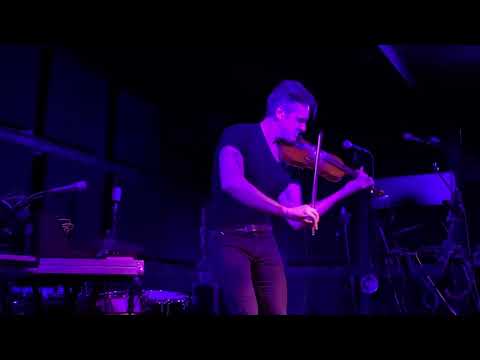
Christopher Tignor live in NYC
Real-time expression
“I’ve been using Ableton on stage for around a decade now and have never once hit play. No loops, no tracks and no clicks - my goal is to keep playing instruments. If you need to touch your computer during a set, it’s boring for an audience who would probably prefer to see you expressing yourself through an instrument.”
“Since my approach is all about live processing, all of my interactive playing follows the wide palette of dynamic gestures native to the violin. Unlike a lot of electronics used live, this approach expands real-time expressive potential, instead of quarantining it.”
“I’m on the side of the iconoclasts, especially folks that work on stage. In my view, we could use more of that: we’ve had enough YouTube tutorials on how to make the perfect beat.”
Looking ahead
“Folks should make their own kind of music with a live-performance approach - it’s much more satisfying than dragging and clipping little blobs of audio around. Leave your laptop on the floor. With a little hacking, a little practice, and a little more hutzpah, you can get there.”
“As a fellow software engineer, I was delighted to get a tour of the Ableton shop in Berlin while on the road some years back. Even though my particular angle falls outside common user stereotypes, I was inspired to meet so many passionate people who want to make incredible tools for other musicians. So let’s keep pushing!”