Max for Live - Build Your Own Devices
Download as mp4Max for Live integrates the unlimited customization potential Max/MSP/Jitter into Ableton Live, enabling you to create and customize your own instruments, effects and extensions. Max for Live is backed by an active community of users who share their creations.
Editing Max for Live Devices
The Edit button enables you to modify any Max for Live device.

Open up the device and have a look inside. You can edit, add controls and modify the device. While editing, you'll hear the changes you're making in real time.

Interface Friendly
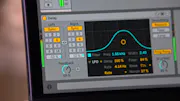
Devices made with Max for Live are integrated into Live's workflow and user interface. You can manage Max devices just like Ableton devices, including presets and parameter automation. The tool set also includes Live's user interface elements, allowing you to build devices that match the look and feel of Ableton devices.
Official Live API
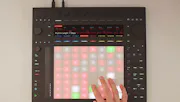
Max for Live also provides objects that allow you to access and modify the internal functionality of Live. Modify the tracks, clips, notes, names and values, selection states and more. The API also allows you to access controller hardware via Live, creating new mappings that enable to utilize a hardware device in a completely new way.
Building in Max for Live
Max for Live includes a number of in-depth tutorials, each with its own reusable example content. The tutorials guide you through Max for Live, from the first steps to advanced, full-featured devices.
Cycling '74 also maintains a growing collection of online tutorials, including articles and movies.
You can learn a lot about Max programming by looking at and editing devices that have been made by other Max for Live users. Have a look at the built-in library of Max for Live devices.
Starting with the basics
Availability
Max for Live is available for USD 249. Owners of Max 5 or 6 can buy Max for Live for USD 99.