Max for Live - What Comes with Max for Live
Max for Live comes with over 100 ready-made devices to use for making music - no programming necessary.
The latest release of Max for Live includes an expanded collection of devices, including a number of commonly requested add-ons:
New: Modulate, Randomize and Manipulate
New in the latest version of Max for Live are 21 devices that allow you to easily manipulate parameters of your Live Set in powerful ways. Apply LFOs, envelope followers, randomization and morphing to device parameters. Instantly map one control's motion to another. Use step sequencers and other "note-oriented" tools to instantly adjust any number of knobs, sliders and buttons.
LFOs
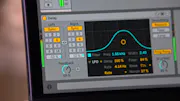
Apply a low-frequency oscillator to device parameters or controls in your Live Set. You can switch between six different waveforms, and use either Hertz or tempo-synced values.
Envelope Followers
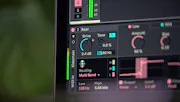
Use the changing amplitude of any audio signal to modulate parameters in Live. Additional parameters allow you to adjust the smoothness of the envelope, switch between absolute and RMS values, and change how quickly or slowly the device responds to level changes.
Randomizers
Randomize any or all of the parameters in a device. The Max for Live randomizers automatically detect the devices and parameters in your Set, for effortless configuration. You can randomize on demand, or at specific musical intervals.
Multichannel Routing Devices
Three of the devices in the Max for Live library interact with Live's mixer to dynamically adjust Send levels, allowing you to build powerful multichannel setups by routing Live's Return tracks to individual speakers. When further modulated by an LFO, for example, these tools allow you to move sounds through space in controlled (or random) ways.
Even without a multi-speaker setup, these devices can be used to route to different effects chains, creating ever-changing processing environments with a minimum amount of configuration.
Sequencing and Looping Tools
Step Sequencer
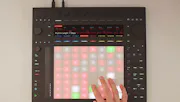
Step Sequencer can play up to four concurrent MIDI sequences, each with up to 16 steps. It also features adjustable step size and step probability, sequence shift buttons (up, down, left, right), a "random" mode and comprehensive real-time MIDI options.
Buffer Shuffler
Buffer Shuffler buffers incoming audio and replays it in whatever order you've specified. Each channel of the stereo signal can be shuffled with different patterns and there is also a "dice" mode that randomizes the shuffle pattern at each bar crossing.
Loop Shifter
Loop Shifter is a sample playback instrument that uses MIDI notes as triggers for playback "states". Each MIDI note represents one state: a combination of playback rate, loop points and filter settings. Loop Shifter can allow for unpredictable results by using "morphing" transitions between states, an auto-mapping system and an "auto-play" mode that randomly chooses MIDI notes for automatic state selection.
Pluggo for Live
In addition to the new devices mentioned above, Max for Live comes with more than 40 devices from the Pluggo collection. These include audio effects and instruments, all rebuilt and optimized for use within Live.
Tools, Building Blocks and Tutorials
Max for Live includes 20 MIDI and audio effects, ranging from common studio utilities like graphic EQs to creative MIDI utilities such as humanizers. Additionally, we've provided more than 20 simple tools called "Building Blocks." These are an excellent introduction to Max programming and have all been carefully annotated to help you learn how they were made.
For more about building in Max, see the "Build Your Own" page.
Discover and download devices made by the growing Max for Live community at maxforlive.com
Availability
Max for Live is available for USD 249. Owners of Max 5 or 6 can buy Max for Live for USD 99.