Start your free trial of Ableton Live

Explore Live 12 Suite’s full features – free for 30 days.

On a mobile device? Live is fast, flexible music software for Mac and Windows.

Operating System
  • No credit card required

  • Get started in minutes

  • Save and export your music

Just a few minutes until you’re making music in Live. Here’s what’s next:

  1. Open the Live Trial installer

    Once the download has completed, double-click on the DMG file and the installer will open automatically. Drag Live Trial to your Applications folder. Then open Live Trial.
    Having trouble installing Live Trial?

  2. Create your free Ableton.com account

    When Live Trial opens, click "Start your free trial". Your web browser will automatically open. On the web page, you’ll be prompted to log into your Ableton user account, or to create a new account if you don't have one yet. No credit card or payment is required.
  3. Authorize Live and start your Trial
    
Once you’re logged in, the trial license will authorize and your 30 day trial will begin.

Get started learning Ableton Live ›

Just a few minutes until you’re making music in Live. Here’s what’s next:

  1. Open the Live Trial installer

    Once the download has completed, unzip the ZIP archive file and double-click on the “Ableton Live 12 Trial Installer.exe” file. The setup wizard will guide you through the remaining installation steps. Then open Live Trial.
    Having trouble installing Live Trial?

  2. Create your free Ableton.com account

    When Live Trial opens, click "Start your free trial". Your web browser will automatically open. On the web page, you’ll be prompted to log into your Ableton user account, or to create a new account if you don't have one yet. No credit card or payment is required.
  3. Authorize Live and start your Trial
    
Once you’re logged in, the trial license will authorize and your 30 day trial will begin.

Get started learning Ableton Live ›

What is Ableton Live?

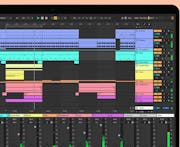
Live is fast, fluid and flexible software for making and performing music. It packs all the effects, instruments, sounds, and creative features you need to make any kind of music.

Create in a traditional linear arrangement, or use Session View to try new ideas and combinations – without ever stopping the music.

Wherever you are on your music making journey, Live gives you the tools to go further.

Sketch ideas, make beats, play freely

Ableton Live is designed to keep your creativity flowing and help you turn ideas into fully formed tracks.

Focus on your music in Live’s streamlined interface, expand your sound with versatile instruments and effects like Drum Rack and Wavetable, jam freely in Session View and fine-tune your experiments with automation and comping.

Rival Consoles showing us how he creates with Live in his home studio

Rival Consoles showing us how he creates with Live in his home studio

Develop your craft with a full professional studio

Record hardware synths, software plug-ins, drum machines, or guitars. Live is a hub for all your instruments, and your whole creative process.

Pitch correct your vocals in real time, and comp, warp and edit your takes effortlessly.

Polish your ideas with precision mixing and mastering tools – and save and export your projects to pick up later.

Find inspiration in Live’s rich sound library

Take your pick from Suite’s full range of 58 flexible audio effects and 20 software instruments: from classics like Operator to cutting-edge sound design tools like Meld.

And take your ideas in new directions, with over 71 GB of sounds for all musical styles.

FAQ

How do I install Live Trial?

Mac: Once the download is finished, double-click the DMG file. In the window that opens, drag Live Trial to your Applications folder. If you want to uninstall the trial at any point, you can find help here.

Windows PC: Once the download is finished, right-click to extract the files from the ZIP archive then double-click “Ableton Live 12 Trial Installer.exe”. The setup wizard will walk you through the installation. If you want to uninstall the trial at any point, you can find help here.

What happens after 30 days?

The Trial allows you to try Live Suite free for 30 days. Once the trial period expires, you can still open Live Sets created using the Trial, but you will no longer be able to save or export your work.

To continue using Live after the Trial period expires, you can buy and install any Live edition: Intro, Standard, or Suite. Visit the feature comparison chart to find out which edition of Live is right for you. 

Live Suite is also available for purchase with a rent-to-own plan.

If you're studying or teaching at a school, college or university, you can save 50% on a new Ableton Live Intro, Standard or Suite license. Check your eligibility in our Education shop.

What if I’m already using an earlier version of Live?

You can install the trial next to your current version. Your library will not be overwritten or altered.

Where can I download Packs to use with Live Trial?

Ableton Packs can be installed and updated via Live's Browser, or you can download them from the Ableton Packs website or from the Licenses & Packs page of your Ableton.com account.

Where can I read the End User License Agreement?

You can find Ableton’s End User License Agreement here.

Have more questions? Browse the Knowledge Base

Live 12 System Requirements

macOS

  • macOS 11 Big Sur or higher
  • Intel® Core™ i5 processor or Apple Silicon

  • 8 GB RAM
  • 1280x800 display resolution
  • Core Audio compliant audio interface recommended
  • Access to an internet connection for authorizing Live (for downloading additional content and updating Live, a fast internet connection is recommended)
  • Approximately 5.7 GB disk space on the system drive for the basic installation (8 GB free disk space recommended)
  • Up to 76 GB disk space for additionally available sound content 

Windows

  • Windows 10 (Version 22H2) or Windows 11 (version 22H2 or higher) 
  • 5th generation Intel® Core™ i5 processor or AMD Ryzen processor (CPU supports AVX2 instruction set)
  • 8 GB RAM
  • 1366x768 display resolution
  • ASIO compatible audio hardware for Link support (also recommended for optimal audio performance)
  • Access to an internet connection for authorizing Live (for downloading additional content and updating Live, a fast internet connection is recommended)
  • Approximately 5.7 GB disk space on the system drive for the basic installation (8 GB free disk space recommended)
  • Optionally up to 76 GB disk space for additionally available sound content

Try Ableton Live free for 30 days

Start your download, and we’ll guide you through the installation process and your first steps in Live.

On a mobile device? Live is fast, flexible music software for Mac and Windows.

Operating System