-
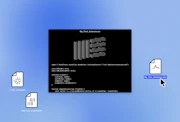
Please try trashing the Undo.cfg file and the Preferences.cfg file. You will find these files in the following paths:
-
Selecting 'Check for Updates' from Live's 'Help' menu results in an error message from the OS or doesn't work.
-
Delete the Preferences.cfg file for the version you are trying to open, and re-open Live. You will find this file in the following paths:
-
Live has PDF manuals in German, Japanese, Spanish, French and Italian, in addition to the English manual.
-
Live contains integrated tutorial lessons.
-
Please see our Live tour:http://www.ableton.com/live?a=what_isLive also contains integrated lessons, which will help you learn the program quickly and effectively.
-
What does "Send Usage Data" mean exactly?
-
As of Live 8.3, Live appears top level in the Start Menu.
-
As of Live 8.3, the Live application bundle can be found on top level in the Applications folder.